

Every video plays in YouTube's official player
We use YouTube's embedded player for all playback. We never download, copy, re-host or modify videos, and YouTube's Terms of Service apply as usual.
With your permission we use Google Analytics to see which pages parents visit and what they click, so we know what to improve. It never runs in the kids' part of the app. How it works
Safety
Here is how a video ends up in front of your child, and what you can do if you don't like one.

No filter catches everything. Why
We use YouTube's embedded player for all playback. We never download, copy, re-host or modify videos, and YouTube's Terms of Service apply as usual.
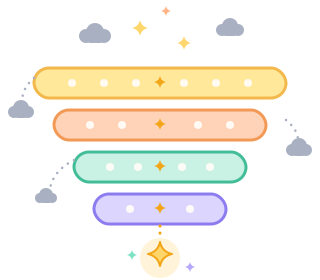
First we select videos by the age rating, language and topics you chose. Then each one is checked against your blocked channels, videos and words, and against our automatic filters, including the one for low-effort AI-generated content.
YouTube is huge and new videos appear every minute, so an unsuitable one can sometimes get through. That's what the watch history, the live view and one-tap blocking are for. If you spot such a video, tell us and we will block it for everyone.
From a child we store only what you enter in their profile and what they watch in the app. Children cannot type in personal details, message anyone or publish anything, and they never sign in to YouTube.
We don't sell or show ads, and we don't track your family for advertising. Any ads inside the YouTube player are placed by YouTube, which controls them.
You can delete your account and your children's profiles at any time from the settings. The Privacy Policy explains what we keep and for how long.


Sign-up is free, and the first profile takes a couple of minutes.